SAP C4C Guide: What It Was, What Replaced It, and What to Do Now

Talha Aamir
SAP Sales Cloud Consultant, Spadoom AG
If you’re searching for “SAP C4C” in 2026, you’re probably in one of two camps. Either you’re running C4C and wondering what comes next. Or you’ve heard the name and want to understand what it actually is.
Either way, the short answer: C4C has been replaced.
SAP Cloud for Customer (C4C) was SAP’s cloud CRM from 2011 to roughly 2023. It’s been superseded by SAP Sales Cloud V2 and SAP Service Cloud V2. And this isn’t an upgrade with a new version number. It’s a ground-up rebuild. Different codebase, different data model, different everything. If you’re still on C4C, migration is a question of when, not if.
TL;DR: SAP C4C (Cloud for Customer) was SAP’s cloud CRM platform from 2011-2023. It’s now been replaced by SAP Sales Cloud V2 and Service Cloud V2, a complete architectural rebuild with API-first design, Fiori UI, and embedded AI via Joule. The CRM market reached $73.4 billion in 2024 (Grand View Research, 2024). If you’re still on C4C, plan your migration: V2 isn’t backward-compatible, but the architectural improvements are worth it.
What Was SAP C4C?
The global CRM market reached $73.4 billion in 2024, with cloud deployments holding 58.2% revenue share (Grand View Research, 2024). SAP C4C was SAP’s early answer to that cloud CRM demand.
SAP Cloud for Customer (C4C) launched in 2011 as SAP’s first cloud-native CRM. It combined sales and service in a single platform. Over its lifetime, it went through several name changes:
- 2011: Launched as SAP Cloud for Customer
- 2016: Renamed to SAP Hybris Cloud for Customer
- 2018: Split into SAP Sales Cloud and SAP Service Cloud as part of the C/4HANA suite
- 2023-2024: Superseded by Sales Cloud V2 and Service Cloud V2
C4C served its purpose. It brought SAP into the cloud CRM market at a time when Salesforce was eating everyone’s lunch. But the architecture was showing its age. APIs were bolted on rather than built in, the UI predated Fiori, and extensibility required working inside the core application. De facto, it was a first-generation cloud product that had hit its ceiling. We could feel it in every project during the last couple of years. Things that should’ve been simple weren’t.
What Replaced C4C and Why?
With 55% of ASUG members now using SAP BTP (ASUG, 2025), SAP needed a CRM that matched BTP’s modern architecture. V2 was that rebuild. Here’s what actually changed.
API-first architecture. Every V2 feature is available via REST API. C4C had APIs, but they were inconsistent and incomplete. V2’s API-first approach means integrations are cleaner, extensions more reliable, and automation straightforward. If you’ve ever tried to build a proper webhook on C4C, you know the relief.
Fiori UI. V2 uses SAP’s modern Fiori design system. It’s responsive, works across devices, follows consistent UX patterns. C4C’s older interface required more training and didn’t work well on mobile. Your sales reps will actually use this one without being forced.
BTP-native extensions. V2 customisations run on SAP BTP as side-by-side extensions, keeping the core clean and upgradeable. C4C customisations often lived inside the core, which made upgrades painful and risky. I lost count of how many C4C customers skipped quarterly updates because they’d customised the core and were afraid of breaking things.
Embedded AI via Joule. SAP has deployed 350 AI features with 2,400+ Joule skills across its cloud portfolio (SAP News Center, 2026). Joule is built into V2’s architecture. Not available in C4C. Won’t be.
Modern data model. V2’s object model is cleaner and more flexible. Custom objects, fields, and relationships are easier to manage than C4C’s rigid structure.

What Does C4C to V2 Migration Look Like?
Less than 40% of companies fully implement their CRM systems (CRM.org, 2024). Migration adds complexity on top of that. But V2’s architectural advantages justify the effort. Here’s what’s actually involved when we do these projects.
It’s a migration, not an upgrade. V2 is a different codebase. There’s no “upgrade” button. Core data (accounts, contacts, opportunities) can be migrated using SAP’s tools, but custom configurations, extensions, and workflows need rebuilding. This catches people off guard every time.
Plan for 3-6 months. A focused migration (core CRM functions, data migration, basic reconfiguration) takes 3-4 months. Adding complex extensions, custom integrations, and multi-region rollout pushes it to 6+ months.
Clean up before you migrate. Don’t migrate bad data. I reckon this is the single most underrated piece of advice: use the migration as your chance to clean up duplicate accounts, incomplete contacts, and inconsistent opportunity stages. Every customer who’s taken this advice has thanked us later. Every customer who ignored it has regretted it.
Phase the transition. Go live on V2 with core features first. Migrate advanced configurations and custom extensions in Phase 2. Trying to replicate 100% of your C4C setup before launch is the most common cause of blown timelines. I’ve seen it happen four times this year alone.
We covered the full migration process in our V2 vs C4C comparison guide.
What Can You Do with Sales Cloud V2 Today?
CRM delivers $3.10 for every dollar spent when implemented well (Nucleus Research, 2024). Here’s where V2 delivers that return in practice.
Pipeline and opportunity management. Real-time pipeline visibility with configurable stages, weighted forecasting, and required field validation. In our Nussbaum project, 85% of the sales team was active in week one. That’s the kind of adoption number that makes the investment worth it.
AI-powered insights. Natural language queries via Joule, opportunity summaries, activity suggestions, email drafting. Reps save 15-20 minutes daily on administrative tasks. That’s neat. Multiply that by your headcount and it adds up fast.
Mobile-first access. Fiori works on phones and tablets by default. Our Nussbaum implementation saw 40% of CRM interactions on mobile within 4 weeks. Field reps love it because they can update deals from the car park after a meeting.
Native SAP integration. Direct connections to S/4HANA, Service Cloud V2, SAP Commerce Cloud, Emarsys, and SAP CDP. No middleware for the basics.
Territory and quota management. Geographic, product-line, and named-account territory models with quota tracking and attainment reporting.

What Should You Do If You’re Still on C4C?
Sellers spend roughly 25% of their time actually selling (Bain & Company, 2025). V2’s automation and AI features target that gap directly. If you’re still on C4C, here’s what I’d tell you over a coffee.
Don’t panic, but don’t sit on it either. SAP continues to support C4C, but all new features are V2-only. The longer you wait, the bigger the gap between your system and current capabilities. And the bigger the migration project becomes.
Assess your current setup. Document your C4C customisations, integrations, and extensions. Identify what V2 handles natively through configuration vs. what needs rebuilding. You’ll often find that half your C4C customisations were workarounds for platform limitations that V2 solves out of the box. I’ve seen customers with 40+ custom mashups in C4C and only 8 of them needed rebuilding in V2. The rest were just compensating for things the platform should’ve done natively.
Start with a pilot. Migrate one team or one region to V2 first. Validate the process, train key users, build internal expertise before a full rollout. This approach has worked for every customer we’ve migrated so far.
Budget for data cleanup. A peer-reviewed study found 94% of business spreadsheets contain errors (Poon et al., Frontiers of Computer Science, 2024). Your CRM data isn’t much better, I promise. Use migration as your cleanup opportunity. You’ll never have a better excuse.
Need help planning your C4C to V2 migration? We’ve done this for multiple customers and can show you what’s realistic for your timeline and setup. Get in touch.
Frequently Asked Questions
Is SAP still supporting C4C?
SAP continues to provide maintenance and support for C4C (Sales Cloud V1), but all new feature development goes exclusively to V2. That means C4C won’t get AI features (Joule), the new Fiori UI, or BTP-native extensions. SAP hasn’t announced an end-of-maintenance date for C4C, but the strategic direction is clear. V2 is the future. Plan your migration proactively rather than waiting for a forced deadline. Trust me, forced deadlines are never fun.
Can I run C4C and V2 side by side during migration?
Yes, and we recommend it. A parallel operation period lets you validate V2 configuration, train users on the new system, and compare data quality before cutting over. Most of our migrations run both systems for 4-8 weeks. The overhead is manageable since both systems can connect to the same S/4HANA backend for master data.
What happens to my C4C customisations in V2?
They don’t transfer directly. V2 is a different codebase. SDK extensions, custom mashups, and workflow rules need rebuilding using V2’s architecture (BTP side-by-side extensions, V2 APIs, built-in configuration tools). The good news: many C4C customisations were workarounds for platform limitations that V2 handles natively through configuration. So the rebuild is often simpler than people expect.
How much does migration cost?
Depends on complexity: number of custom objects, integrations, data volume, user count. A focused migration (core CRM, one integration, clean data) typically costs 30-50% of the original C4C implementation. Complex setups with multiple integrations and extensive customisation cost more. The investment is justified by V2’s lower maintenance costs, better user adoption, and access to AI features that C4C will never get.
What’s the difference between C4C, C/4HANA, and SAP CX?
Fair enough question. These names reflect SAP’s CRM branding evolution. C4C (Cloud for Customer) was the product. C/4HANA was the 2018 suite name that grouped C4C with Commerce Cloud, Marketing Cloud, and Customer Data solutions. SAP CX (Customer Experience) is the current umbrella brand for all customer-facing SAP cloud products, including Sales Cloud V2, Service Cloud V2, Commerce Cloud, Emarsys, CDP, and CIAM. Even people inside SAP get these mixed up, so don’t feel bad.
SAP Sales Cloud V2 implementation partner
Spadoom is the SAP Sales Cloud V2 implementation partner across Switzerland, Germany, Austria and Italy. 14-week median go-live. Live customers across DACH.
Related Articles

SAP Sales Cloud V2 vs. C4C: What Actually Changed?
C4C is end-of-life. Sales Cloud V2 is its replacement, but it's not an upgrade. Here's a feature-by-feature comparison so you know what you're getting into.
From Excel to SAP Sales Cloud V2: A Migration Guide for SMEs
Still running your sales pipeline in spreadsheets? Here's a practical guide to moving to SAP Sales Cloud V2, without the enterprise complexity.
What S/4HANA Public Cloud Gives You Natively vs What Needs Sales/Service Cloud V2
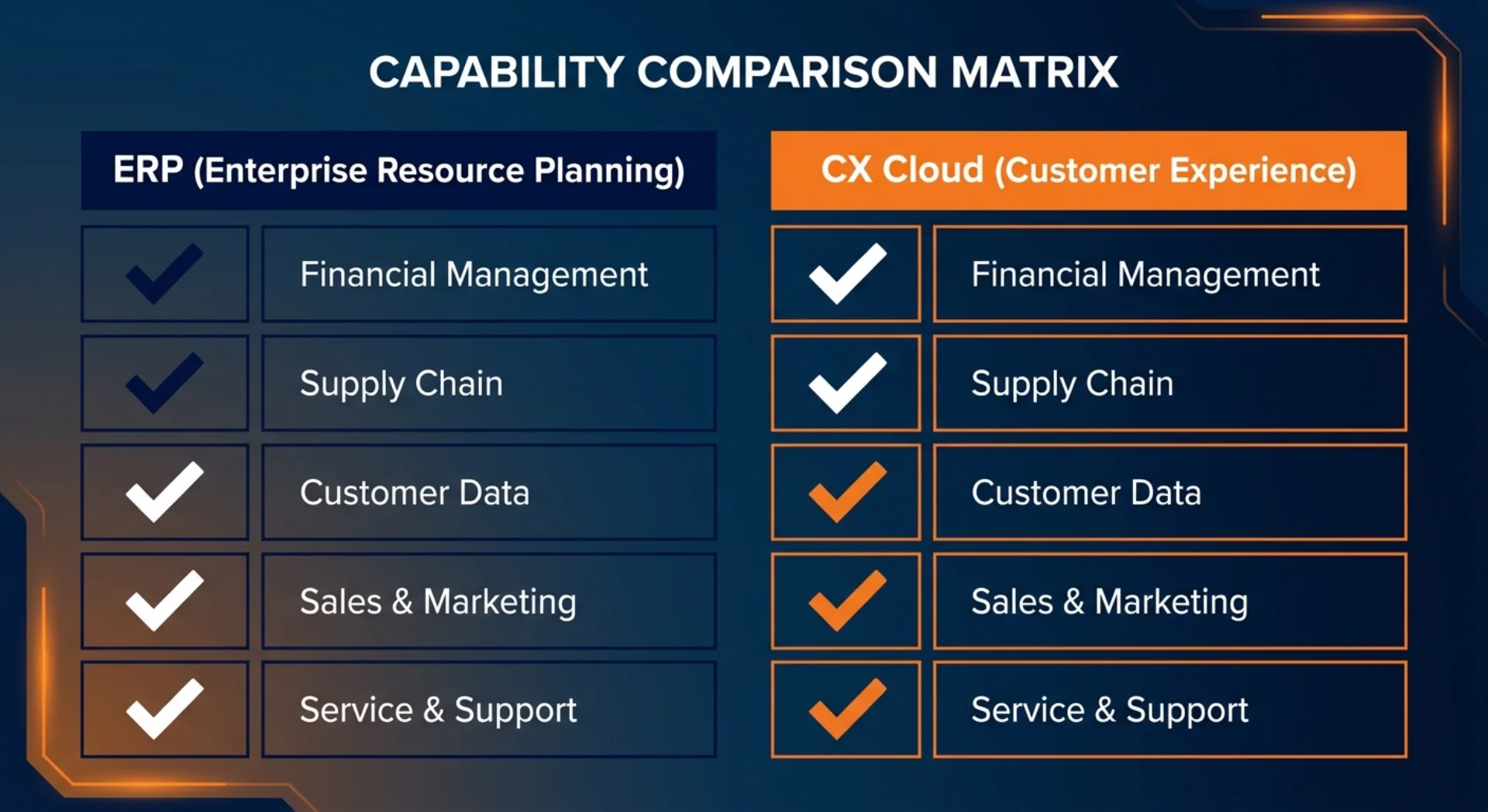
S/4HANA Public Cloud handles orders and basic sales documents. It does not replace a front-office CRM. Here's a clear map of what's native, what needs Sales Cloud V2, and what needs Service Cloud V2.