
SAP Field Service Management: What It Does and When You Need It

Dario Pedol
CEO & SAP CX Architect, Spadoom AG
Field service is where promises meet reality. You told the customer you’d fix the machine by Tuesday. Now someone has to actually show up with the right parts, the right skills, and the right information. That’s what SAP Field Service Management (FSM) coordinates. The scheduling, the dispatch, the mobile work orders, the spare parts tracking. All the stuff that’s usually a mess in a spreadsheet.
Here’s what FSM does, how it fits into the bigger SAP picture, and when it’s actually worth the investment.
TL;DR: The field service management market is valued at USD 5.49 billion and growing at a 16% CAGR (Grand View Research, 2025). SAP FSM covers four core areas: intelligent scheduling (AI-driven dispatch based on skills, location, and availability), mobile workforce management (offline-capable mobile app for technicians), spare parts logistics (real-time inventory and trunk stock), and IoT-driven service (sensor data triggering proactive work orders). It connects to SAP Service Cloud V2, S/4HANA, and Commerce Cloud through BTP.
What Does SAP FSM Actually Do?
The FSM market sits at USD 5.49 billion, growing at 16% CAGR (Grand View Research, 2025). Companies invest because field operations are expensive. Every unnecessary truck roll, missed appointment, or repeat visit costs money and kills customer trust. I’ve watched companies burn through margins simply because their technicians showed up without the right information.
FSM’s real value isn’t the scheduling algorithm. It’s closing the information gap between back office and field. When technicians have the right parts, the right history, and the right instructions before arriving on site, first-time fix rates jump 15-20%. That’s not theory. That’s what we see.
Four capabilities:
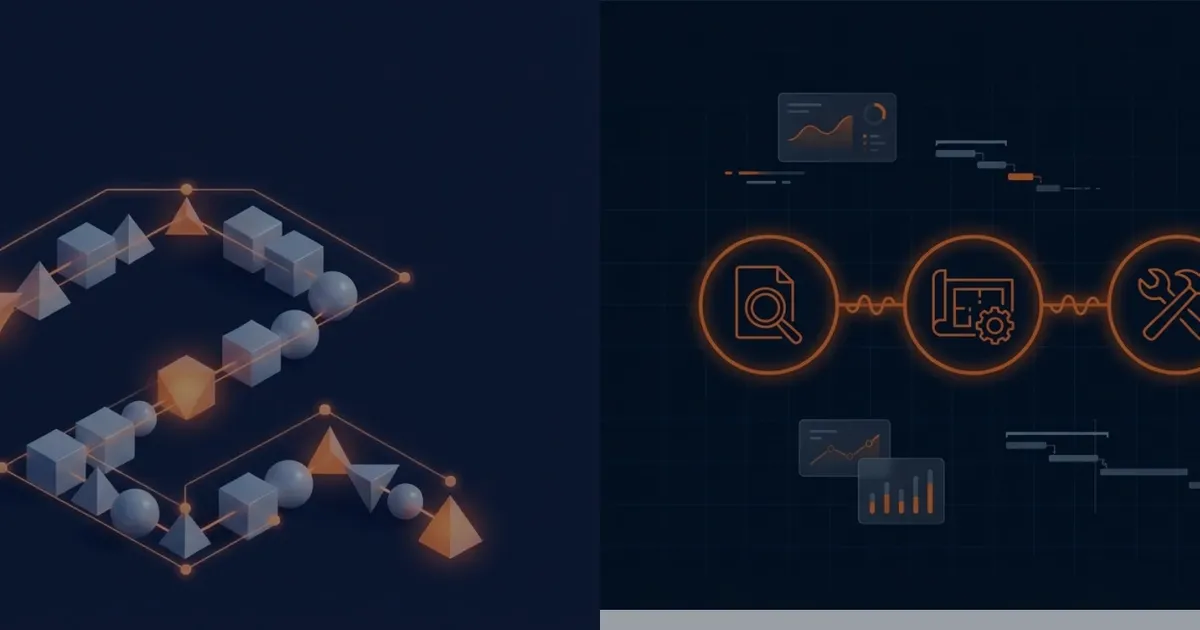
Intelligent scheduling and dispatch. AI assigns technicians based on skills, certifications, location, availability, and priority. The system optimises routes, minimises travel, and rebalances workloads when emergencies pop up. Dispatchers see a real-time board and can override anything.
Mobile workforce management. Technicians get a mobile app (iOS/Android) for work orders, equipment history, manuals, time and materials, photos, customer signatures. The app works offline. That bit matters more than people think: technicians in basements, rural areas, or facilities without WiFi can still do their job. Data syncs when connectivity returns.
Spare parts and inventory. Real-time visibility into parts across warehouses, service vans (trunk stock), and distribution centres. When a technician needs a part, FSM checks availability and can trigger replenishment or reserve parts nearby. No more “I’ll come back next week with the right part.” That phrase costs companies a fortune.
Customer communication. Automated notifications keep customers in the loop: appointment confirmations, en-route alerts, completion summaries. Customers can self-book and track technician arrival through a portal.
How Does FSM Connect to Service Cloud V2?
Joule copilot adoption grew ninefold over 2025 (CX Today, 2026). AI-powered service, including field service, is picking up speed.
But here’s where it gets crisp. FSM and Service Cloud V2 serve different halves of the service process:
- Service Cloud V2 handles the inside: case management, knowledge base, SLA tracking, multi-channel communication (phone, email, chat)
- SAP FSM handles the outside: dispatching technicians, managing mobile work orders, tracking field activities
The integration flow: a case in Service Cloud V2 that needs an on-site visit creates a service request in FSM. FSM schedules a technician. The technician completes the work. Completion data flows back to Service Cloud V2 to resolve the case. The customer experiences one continuous process.
We set this up for a medical device company last year. Cases that used to bounce between inside agents and field teams for days now flow automatically. First-contact resolution improved because agents know immediately whether a case needs a field visit. The service manager told me it was the single most impactful change they’d made in three years.
When Does Your Company Need FSM?
More than two-thirds of large-scale tech programmes miss time, budget, or scope targets (BCG, 2024). FSM implementations are no exception. Choosing the wrong time or scope leads to over-investment.
So let me be direct.
You need FSM when:
- You have 20+ field technicians and scheduling is done manually or in spreadsheets
- First-time fix rates are below 70% (industry benchmark: 75-80%)
- Customers complain about missed appointments or lack of communication
- Technicians waste time driving back for parts or information they didn’t have
- You can’t report on field performance metrics (response time, completion rates, parts usage)
You probably don’t need FSM when:
- You have fewer than 10 technicians (the scheduling overhead doesn’t justify the platform cost)
- Your field service is simple: one equipment type, one skill set, predictable schedules
- You’re already on a capable field service tool and the switching cost outweighs the benefit
Fair enough if you’re in that last bucket. But if the first list sounds familiar, start here: scheduling and dispatch, mobile work orders, parts visibility. Add IoT and predictive maintenance after the basics run smoothly.
What About IoT and Predictive Maintenance?
The smart manufacturing market is valued at USD 410.68 billion (Verified Market Reports, 2025). IoT-driven field service is a growing piece of that, and I reckon it’s where FSM gets genuinely interesting.
Sensor data triggers work orders. Equipment sensors detect anomalies (vibration patterns, temperature thresholds, error codes). FSM automatically creates a service request, schedules a technician, pre-assigns the likely spare parts. Before the customer even knows there’s a problem.
We had a client running industrial compressors. They went from 40% reactive service calls to 15% in six months. The rest were proactive. Downtime dropped by nearly half.
Predictive maintenance patterns. Historical sensor data plus service history enables predictive models: which equipment is likely to fail in the next 30 days? Shifts service from reactive (fix when broken) to proactive (fix before it breaks). 30-50% downtime reduction is typical.
Remote diagnostics. Technicians check equipment status remotely before visiting. They arrive with the right diagnosis and right parts. Kills the “inspect first, return with parts later” pattern that tanks first-time fix rates.
IoT is the advanced tier. Most companies should get core scheduling and mobile running first, then add IoT once the operational foundation is solid. That’s the right order.
FAQ
How does SAP FSM differ from SAP Plant Maintenance?
Plant Maintenance (PM) in S/4HANA manages internal maintenance: your own equipment in your own facilities. FSM manages external service: your technicians going to customer sites. PM focuses on asset lifecycle; FSM focuses on workforce scheduling, mobile execution, and customer communication. Many companies use both.
What industries benefit most from FSM?
Industries with high-value equipment requiring on-site service: medical devices, industrial machinery, HVAC, telecommunications, utilities, elevator/escalator maintenance. If you send technicians to customer locations with tools and parts, you’ll get value from FSM.
Can FSM work without Service Cloud V2?
Yes. FSM runs standalone. But combining it with Service Cloud V2 gives you end-to-end service management, from initial contact through field dispatch and resolution, in one integrated flow.
What’s the typical implementation timeline for FSM?
Core FSM (scheduling, mobile, parts): 8-12 weeks. Adding Service Cloud V2 integration: 4-6 more weeks. IoT integration: 6-12 weeks depending on sensor infrastructure. Start with core and expand.
How does FSM handle offline scenarios?
The mobile app stores work orders, equipment data, and forms locally. Technicians complete all field activities offline. Data syncs automatically when connectivity returns. This is non-negotiable for service in basements, remote facilities, or rural areas where internet is spotty.
SAP FSM implementation partner
Spadoom is the SAP FSM implementation partner across Switzerland, Germany, Austria and Italy. 14-week median go-live. Live customers across DACH.
Related Articles

Four Languages, One CRM: Making SSCV2 Truly Multilingual
Switzerland means four languages, and a CRM that guesses wrong feels broken. The concepts and lessons from making SSCV2 truly multilingual, learned the hard way on real projects.

Native Screen Pop in the SSCV2 Agent Desktop: What the PDF Does Not Tell You
We wired our telephony widget into the native SSCV2 Agent Desktop screen pop this month. The official documentation covers half of the contract. Here are the lessons from the other half.
We Run SAP Sales Cloud and Service Cloud Ourselves. Here Is What We Built.
We licensed SAP Sales Cloud V2 and SAP Service Cloud V2 in January 2026 and went live about a month later. This is the technical story: scope, setup, website integration, support cases, and the decisions that kept it fast.