Integration Architecture: Connecting Sales Cloud V2 to S/4HANA Public Cloud

Spadoom
SAP CX Partner & Consultancy
“How does the integration actually work?” That’s the first question in almost every Sales Cloud V2 discovery call we run. And it’s the right question to start with.
The short answer: SAP delivers pre-built integration content on SAP Integration Suite (BTP) that connects Sales Cloud V2 to S/4HANA Public Cloud across all the flows that matter: master data replication, product and pricing sync, quote-to-order transfer, and financial status back into CRM. You configure and deploy SAP’s packages; you don’t build connectors from scratch. But “pre-built” doesn’t mean “zero effort”. The mapping, data quality, and operational setup still take real time to do properly.
This post covers the architecture from the ground up. For a broader view of running Sales Cloud V2 alongside S/4HANA Public Cloud as a combined stack, see our guide to the integrated stack.
TL;DR: SAP provides standard iFlow packages on SAP Integration Suite that handle the core Sales Cloud V2 ↔ S/4HANA Public Cloud flows. Master data comes from S/4HANA (business partners, products, pricing). Transactional data flows both ways (quotes/orders out, invoice status back in). Custom logic belongs on BTP as side-by-side extensions, not inside either system. Data quality and error monitoring setup are the two most underestimated parts of any integration project.
How does Sales Cloud V2 connect to S/4HANA Public Cloud?
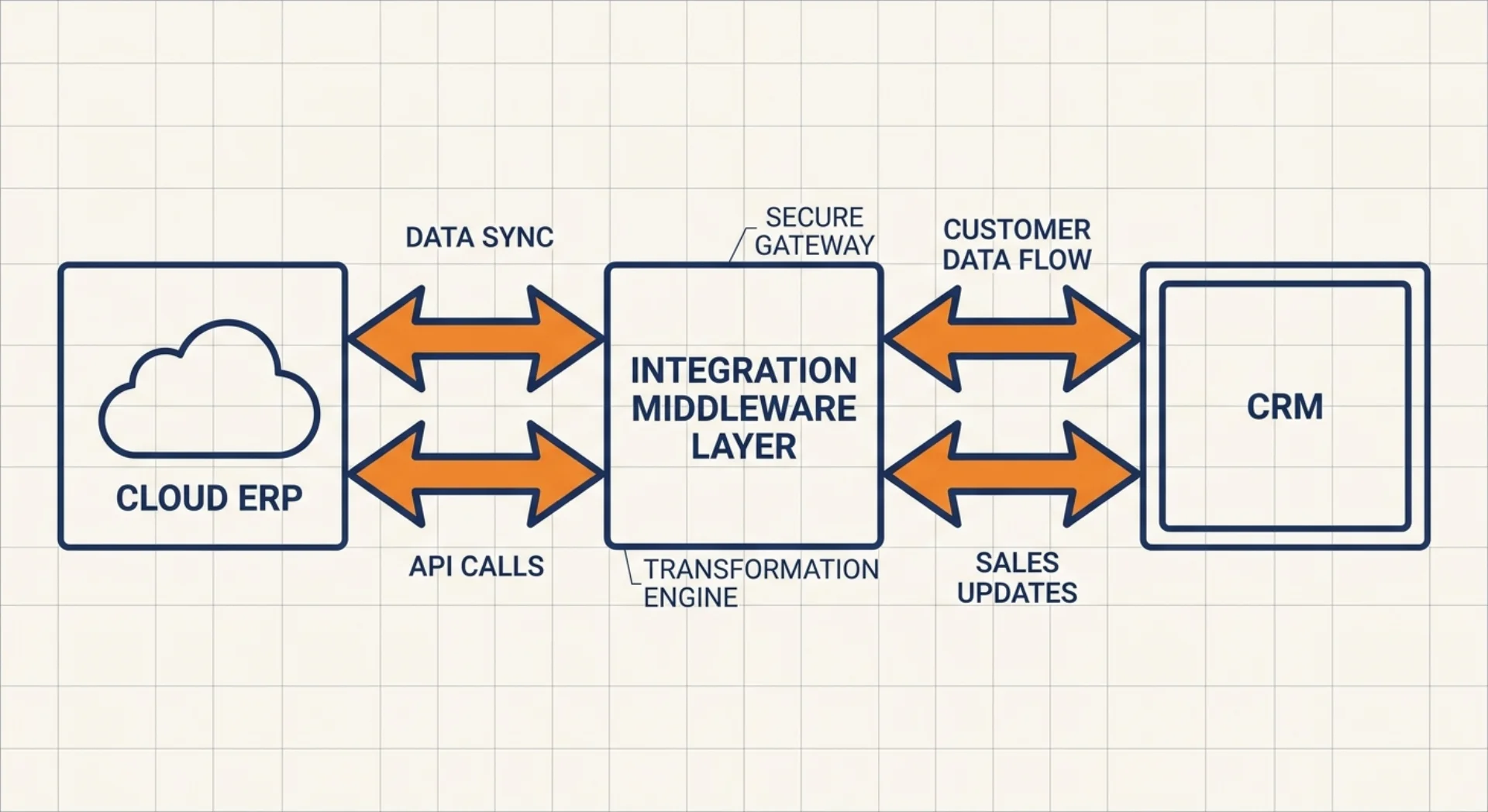
Both systems sit on SAP BTP. Sales Cloud V2 exposes OData V4 APIs natively; S/4HANA Public Cloud exposes OData APIs documented on the SAP Business Accelerator Hub. The connector between them is SAP Integration Suite, specifically the Cloud Integration capability. SAP Integration Suite needs to be provisioned on your BTP subaccount before you can deploy any iFlows. That’s a day-one infrastructure task that sometimes gets overlooked in early project planning.
The connection is not direct system-to-system. Everything flows through Integration Suite as the middleware layer. This is intentional: Integration Suite handles retry logic, error queuing, message monitoring, and the mapping transformations between two systems with different data models. A point-to-point API call between the two systems is technically possible, but it means you own all of that operational work yourself. That’s a bad trade.
The primary interface on both sides is OData. Sales Cloud V2 and S/4HANA Public Cloud both publish their APIs, so your integration content calls those endpoints. No proprietary connectors, no vendor-specific SDKs. OData means the interface contract is documented and stable.
The standard integration content
SAP ships pre-built iFlow packages for the Sales Cloud V2 to S/4HANA Public Cloud scenario. These packages are available in the SAP Integration Suite content catalog and cover the core integration scenarios out of the box.
Deployment means: find the package in the catalog, configure the connection parameters (your tenant URLs, credentials, field mappings), and deploy the iFlows to your Cloud Integration runtime. SAP maintains these packages and ships updates, which is a real advantage over custom-built connectors. But that maintenance advantage disappears the moment you modify the standard iFlow directly rather than copying it first.
Before deploying, your Integration Suite tenant needs two configured communication arrangements: one for Sales Cloud V2, one for S/4HANA Public Cloud. Communication arrangements in S/4HANA Public Cloud define which APIs are exposed and to which OAuth clients. Setting these up correctly is the prerequisite step that most integration guides treat as a footnote. In practice, it accounts for a full sprint of setup and testing before the first iFlow goes live.
For the Service Cloud V2 side of the same S/4HANA integration topology, the patterns are similar but the transactional flows differ; see the Service Cloud V2 side of the same integration for how the service ticket and installed base scenarios work.
Master data replication
Master data flows predominantly from S/4HANA to Sales Cloud V2. S/4HANA is the system of record for customers, products, and pricing. CRM is the consumer.
Business partners. The standard iFlow replicates accounts and contacts from S/4HANA business partners to Sales Cloud V2. This is event-driven: when a business partner is created or changed in S/4HANA, the event triggers the iFlow. The mapping handles the structural difference between S/4HANA’s business partner model and Sales Cloud V2’s account/contact model. Get the mapping wrong here and you’ll spend the first weeks of go-live merging duplicate accounts.
Product catalog. Products replicate from S/4HANA material management to Sales Cloud V2’s product catalog. Reps creating quotes in CRM can search and select products whose data originates in S/4HANA. Unit of measure conversions, product hierarchies, and sales org assignments all come through in the standard content.
Pricing conditions. This is the one that sales teams care most about. Pricing from S/4HANA, including customer-specific agreements, scales, and discount matrices, replicates into Sales Cloud V2 so quotes reflect actual contract pricing. The replication is scheduled, not instantaneous: if a pricing agreement changes in S/4HANA today, there’s a lag before the updated price appears in CRM. Plan for this in your process design. Reps need to know how fresh the pricing data is.
Transactional flows
Where master data flows mostly one way (S/4HANA to CRM), transactional data flows both ways.
Quote-to-order transfer. When a sales rep finalises a quote in Sales Cloud V2 and the customer accepts, the sales order can be transferred to S/4HANA for fulfilment. The standard iFlow handles the mapping from Sales Cloud V2’s opportunity/quote structure to S/4HANA’s sales order. This is where field mappings get complex fast: your S/4HANA sales org, distribution channel, and division structure needs to map cleanly to the CRM’s sales territory and team model.
Invoice and payment status back to CRM. Once S/4HANA processes the order, invoice data and payment status replicate back to Sales Cloud V2. Account managers can see whether a customer has open invoices directly in the account record, without logging into the ERP. For DACH B2B sales teams where credit exposure affects sales decisions, this is a genuinely useful feature. It surfaces information that previously required a call to finance.
Across 12+ Sales Cloud V2 implementations, including a full pipeline rollout for a mid-size DACH manufacturer, we’ve seen the median go-live at 14 weeks with 92% user adoption at six months. The transactional flows are rarely the technical bottleneck. Data mapping and organisational alignment take more time than the technical plumbing.
Where custom logic lives: BTP side-by-side
The clean-core principle applies to integration too, not just to system extensions. Standard iFlows handle the documented scenarios. Anything specific to your business model, your approval process, or your data validation rules lives outside both systems as a side-by-side extension on BTP.
Custom logic in an iFlow mapping is a trap. It works short-term, then becomes unmaintainable the moment SAP ships an iFlow update and you need to re-apply your changes. The same problem that plagues in-core ABAP customisation applies here.
Integration Suite, Event Mesh, Build
SAP Integration Suite is the runtime for your iFlows. It also provides message monitoring: you can inspect every message that passed through, failed, or retried. Setting up monitoring dashboards and alert rules at go-live is not optional. Without them, integration failures are invisible until a sales rep notices their quote is missing data. That’s a terrible way to find out.
SAP Event Mesh enables event-driven integration patterns instead of scheduled polling. Rather than an iFlow running every 15 minutes to check for new business partners in S/4HANA, Event Mesh delivers the event the moment something changes. This reduces latency and eliminates unnecessary polling load. For high-volume scenarios with frequent master data changes, event-driven replication is meaningfully better than scheduled batch.
SAP Build (which covers Build Process Automation, formerly Workflow Management) handles approval orchestration. If your sales process requires a manager approval before a quote-to-order transfer, or a credit check gate before an order is submitted to S/4HANA, that approval workflow lives in SAP Build, not inside Sales Cloud V2 or S/4HANA. The workflow triggers via an event, calls the relevant APIs for status updates, and completes in either system. Side-by-side, clean, independently deployable.
For teams who want more depth on building extensions on BTP without touching the core, our clean core with SAP CAP guide covers the extension model in detail.
Common pitfalls and how to avoid them
Every integration project we’ve run has had at least one of these. Usually two.
Assuming “SAP integrated” means “works out of the box.” The standard content is a starting point, not a finished product. You still need to configure connection parameters, define field mappings specific to your data model, clean your master data, and test every flow end to end. Budget integration design and configuration as a proper workstream, not a two-day task.
Modifying iFlows in place. The single most common technical mistake. When you modify SAP’s standard iFlow directly, you own that version forever. SAP’s next update to the package can’t be applied cleanly. The fix: copy the standard iFlow before you touch it. Make changes in your copy. Document every delta from the standard. This takes an extra hour upfront and saves days of rework when SAP ships an update six months later.
Skipping error monitoring setup. Integration Suite has built-in message monitoring. Most teams deploy iFlows and move on without configuring alert rules. The result: failed messages sit in the error queue for days before anyone notices. At go-live, set up alerts for message processing failures on every iFlow. Assign an owner. Create a runbook. This is operational hygiene, but it prevents the class of problem where a pricing update from S/4HANA silently fails and reps quote from stale data for a week.
Underestimating data quality and mapping effort. S/4HANA and Sales Cloud V2 have different data models. Business partner structures, account hierarchies, product classification schemas: none of these map trivially. In our experience, the mapping design and data cleansing work takes as long as the technical iFlow configuration itself, sometimes longer. If your S/4HANA has duplicate customers, inconsistent pricing conditions, or products without sales org assignments, those problems surface the moment replication starts. Fix data in the source system before the integration goes live. Not during.
Got questions about your specific integration scenario? Whether you’re starting a new Sales Cloud V2 rollout or untangling an existing integration that isn’t behaving, let’s talk.
SAP Sales Cloud V2 implementation partner
Spadoom is the SAP Sales Cloud V2 implementation partner across Switzerland, Germany, Austria and Italy. 14-week median go-live. Live customers across DACH.
Related Articles
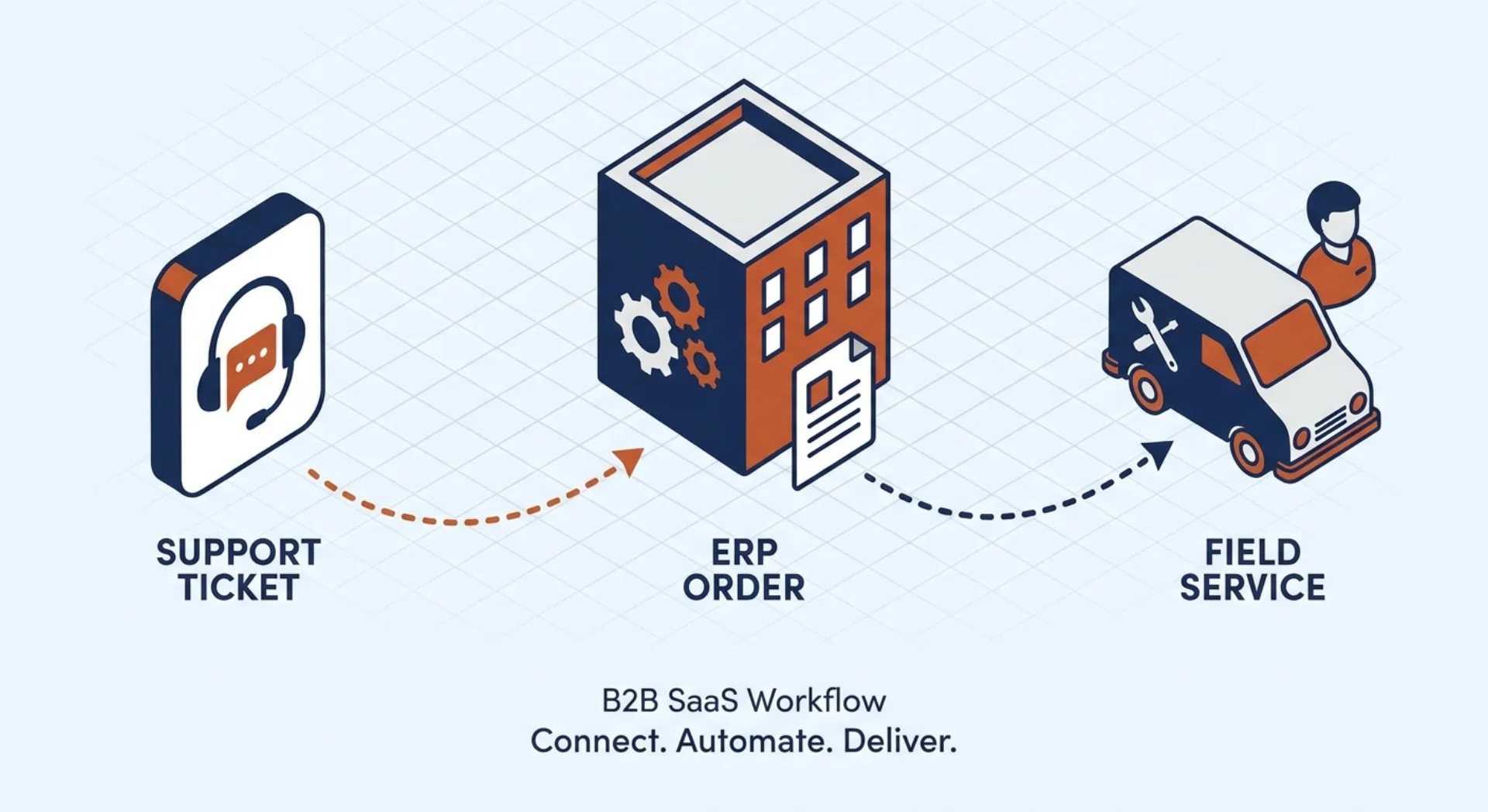
SAP Service Cloud V2 + S/4HANA Public Cloud: From Service Ticket to ERP Order
SAP Service Cloud V2 connects to S/4HANA Public Cloud through standard integration content on SAP Integration Suite. Service tickets trigger ERP service orders, agents see the full installed base, and billing closes the loop. all without custom code in either core system.
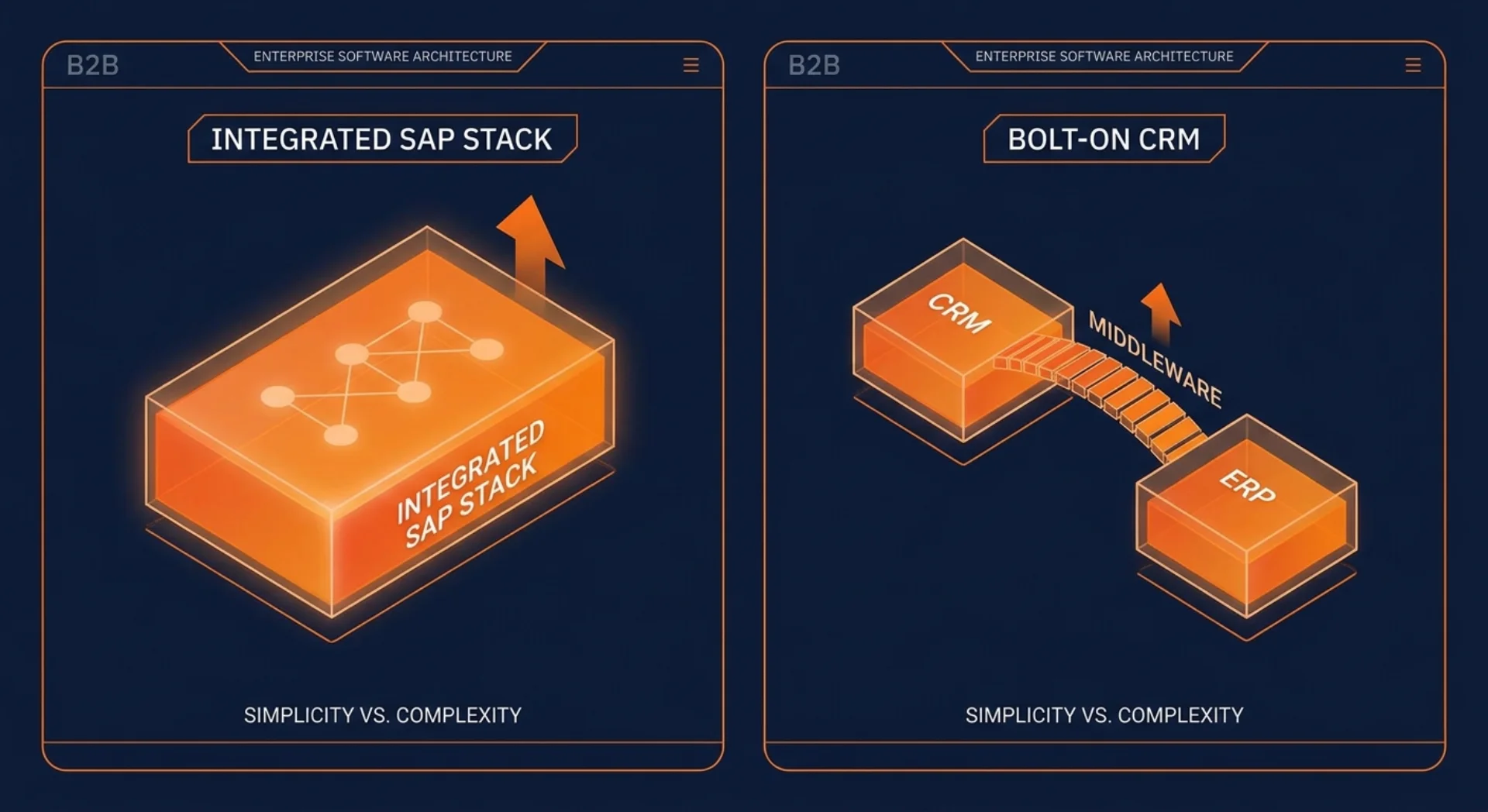
Why SAP Sales Cloud V2 Is the Right CRM for an S/4HANA Public Cloud Landscape
If you're running SAP S/4HANA Public Cloud, the best CRM is the one that doesn't need a middleware layer to talk to your ERP. That's SAP Sales Cloud V2.
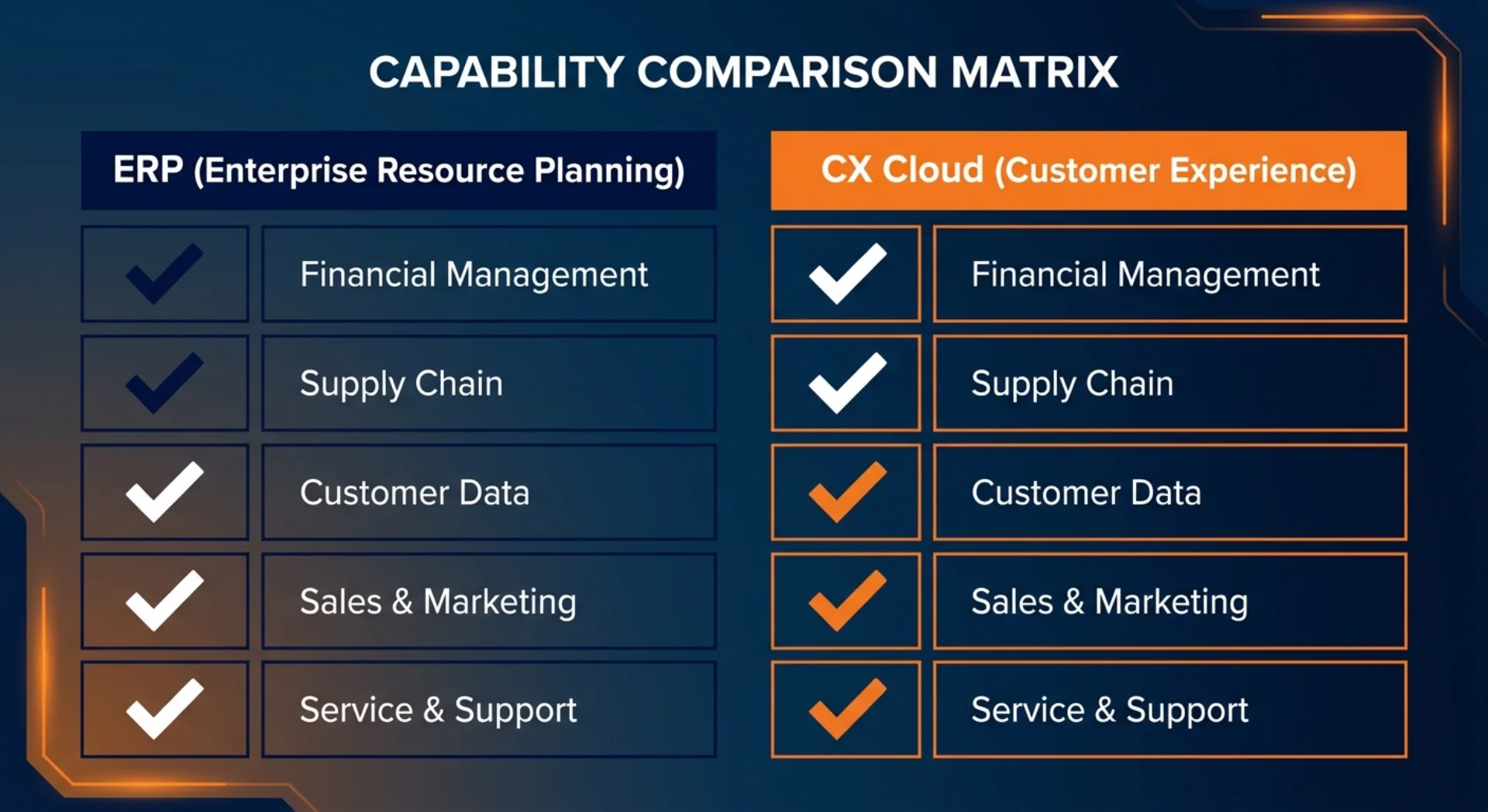
What S/4HANA Public Cloud Gives You Natively vs What Needs Sales/Service Cloud V2
S/4HANA Public Cloud handles orders and basic sales documents. It does not replace a front-office CRM. Here's a clear map of what's native, what needs Sales Cloud V2, and what needs Service Cloud V2.